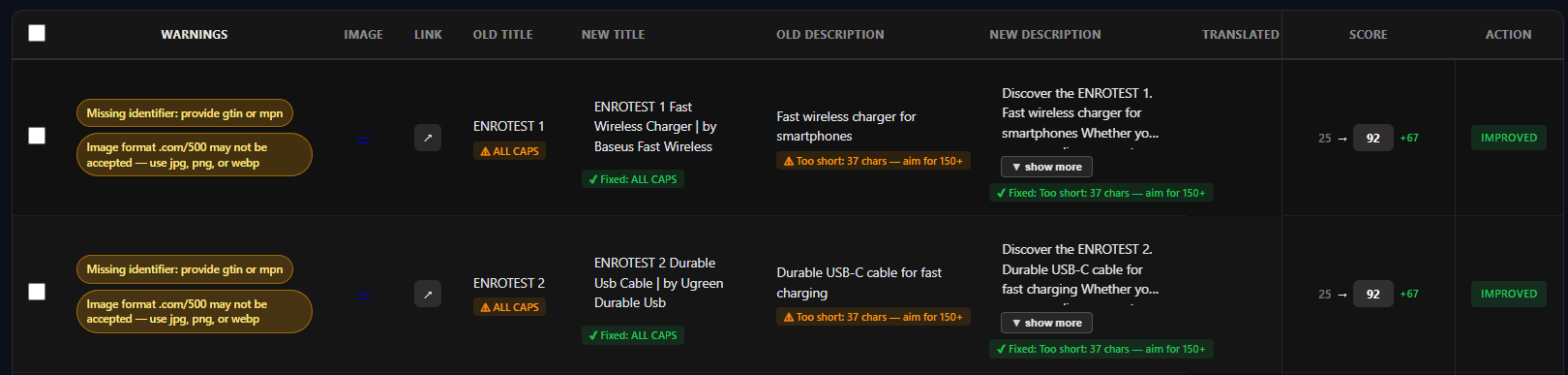
Introduction: Why Product Feed Optimization Becomes Hard at Scale
In the world of e-commerce, product feed optimization is crucial, especially when managing large catalogs. As the number of SKUs increases, the complexity of maintaining accurate and optimized feeds grows exponentially. This article outlines practical steps for optimizing product feeds effectively for larger catalogs, ensuring that your products are well-represented on platforms like Google Merchant Center.
What Makes Product Feed Optimization Difficult for Large Catalogs
Large catalogs present unique challenges, including data consistency, missing attributes, and the need for bulk updates. Without a structured approach, managing thousands of product entries can lead to errors, inconsistencies, and lost sales opportunities. Each product needs accurate titles, descriptions, and attributes to ensure visibility in search results.
Step 1: Centralize Your Product Data into a Structured Feed
The first step in optimizing your product feed is to centralize your product data. Use a structured format, such as CSV or XML, to manage your inventory effectively. This approach not only simplifies updates but also helps maintain consistency across your product listings.
Step 2: Identify Missing and Weak Product Attributes
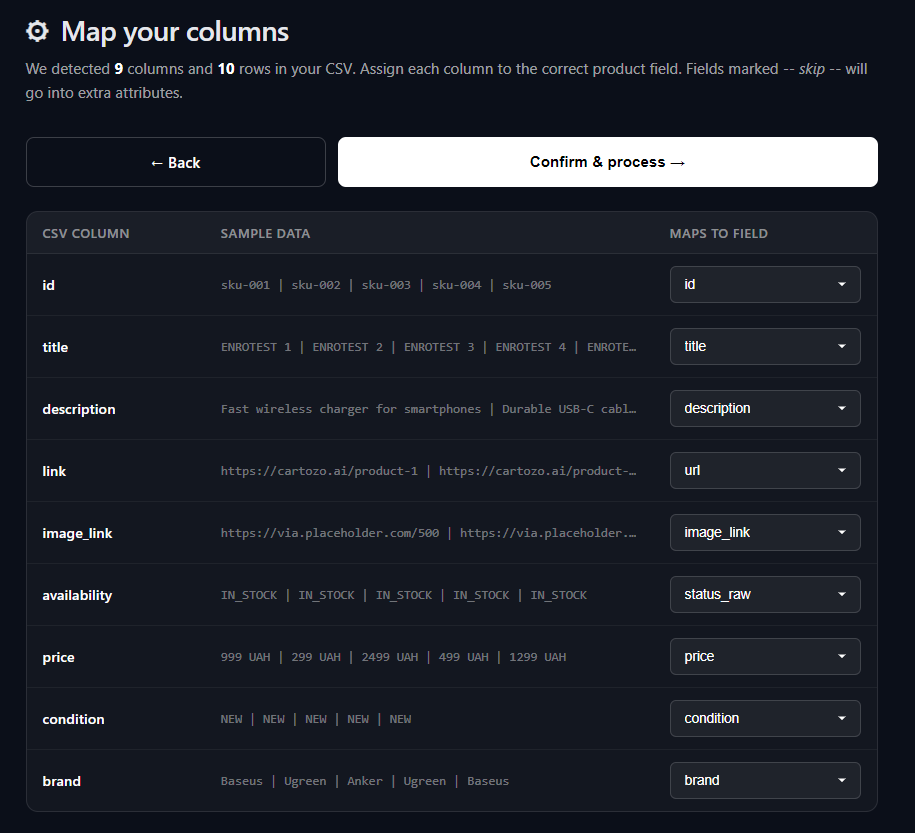
Next, audit your product attributes to identify any gaps. Missing attributes can hinder your products' visibility in Google Shopping. Focus on essential fields such as GTIN, brand, price, and availability. A thorough analysis will reveal areas that need improvement.
Step 3: Optimize Product Titles for Google Shopping
Product titles are critical for search visibility. Ensure that your titles are concise but descriptive, incorporating relevant keywords. This not only improves your products' chances of appearing in search results but also helps customers understand your offerings quickly.
Step 4: Improve Product Descriptions for Relevance and Consistency
Product descriptions should provide clear and detailed information. Consistency across descriptions enhances user experience and builds trust. Use bullet points for features, and include keywords naturally to improve SEO.
Step 5: Apply Optimization Changes in Bulk
Once you've identified and made necessary changes, apply them in bulk. This saves time and ensures consistency. Most e-commerce platforms allow bulk edits through their interfaces or via CSV uploads.

Step 6: Review and Adjust Individual Products Where Needed
While bulk changes are efficient, it's essential to review individual products. Some items may require unique titles or descriptions to stand out. Ensure that your most critical products are optimized for maximum visibility.
Step 7: Export and Sync Your Optimized Feed with Google Merchant Center
After optimizing your product feed, export it and sync it with Google Merchant Center. Regular updates are crucial to maintaining product visibility and accuracy in listings.

Why Manual Product Feed Optimization Does Not Scale
Manual updates are labor-intensive and prone to errors. As your catalog grows, relying on manual processes becomes unsustainable. Automated solutions like Cartozo AI can streamline feed management and optimize performance across your entire product catalog.
How to Build a Scalable Product Feed Optimization Workflow
To scale your product feed optimization, establish a workflow that includes regular audits, bulk updates, and ongoing monitoring. Utilize tools that automate repetitive tasks, ensuring that your feed remains optimized without requiring constant manual intervention.
How Cartozo AI Helps Automate and Scale Feed Optimization
Cartozo AI provides solutions that automate product feed management, helping you to keep your feed optimized without the hassle of manual editing. This scalability allows e-commerce teams to focus on strategic growth rather than routine updates.

Example: End-to-End Product Feed Optimization Workflow
Implementing an end-to-end workflow can enhance your optimization efforts. Here’s a simple process:
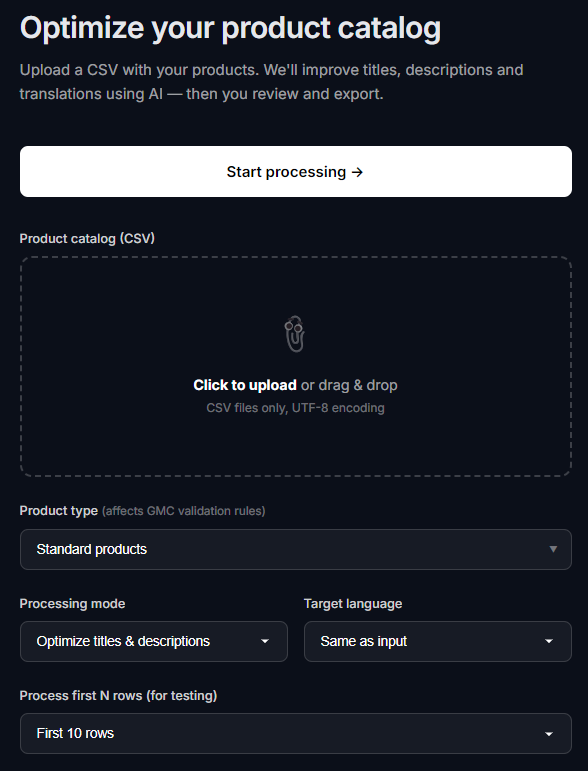
- Upload your CSV file to your feed management tool.
- Detect fields and map them accurately.
- Generate optimized titles and descriptions.
- Review changes and adjust manually if necessary.
- Export the optimized feed.
Key Benefits of a Structured Feed Optimization Approach
Using a structured approach for feed optimization provides several benefits, including improved visibility, higher click-through rates, and increased conversion rates. A well-optimized feed not only attracts more customers but also builds trust and credibility.
Conclusion: Treat Your Product Feed as a Scalable Growth System
In conclusion, optimizing product feeds for large catalogs is essential for maximizing e-commerce success. By following a structured workflow and utilizing tools like Cartozo AI, e-commerce teams can effectively manage their feeds and drive sales.
Walkthrough
The following screens complete the flow step by step.